
MTD quarterly submissions: how many you need and when
Under Making Tax Digital for Income Tax (MTD ITSA), eligible Self Assessment taxpayers send more than one return a year. HMRC's model is four quarterly updates plus a final declaration.
Founders with property or self-employment income alongside a startup role often ask: "How many submissions is that, and when are they due?"
How many MTD quarterly submissions are required?
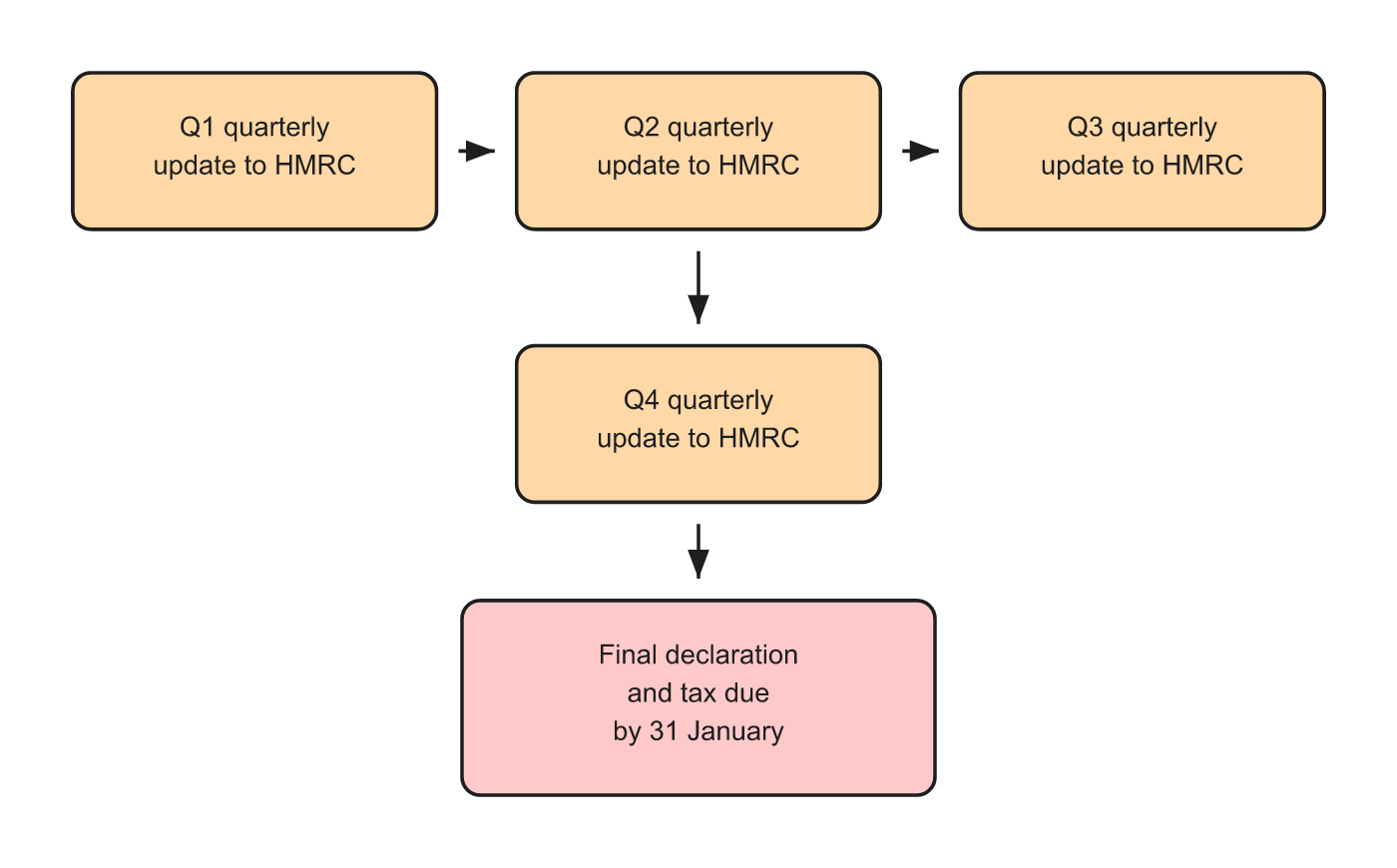
You must submit four quarterly updates per tax year under MTD for Income Tax, plus one final declaration after the tax year ends. That is five reporting moments in total.
Each quarterly update summarises income and allowable expenses for the quarter. The final declaration reconciles the full year and settles tax due by 31 January.
Five reporting moments per tax year
SYSTEM INSIGHT / NEXT STEP
Make the next move with clarity.
If this issue is already showing up in reporting, runway, or team decisions, the next move is usually clearer with a structured finance view.
Who must make MTD quarterly submissions?
From 6 April 2026, MTD ITSA applies when you:
Are registered for Self Assessment
Have self-employment and/or UK property income
Exceed the qualifying income threshold (£50,000+ from April 2026, with lower thresholds planned)
See our guides on who is affected and MTD for landlords.
MTD quarterly submissions apply to personal trade and property income. Your limited company's accounts and corporation tax are separate.
When are quarterly updates due?
Quarterly deadlines follow the tax year (6 April to 5 April) unless you elect calendar quarters.
Standard tax year quarters (example)
Quarter | Period (tax year) | Typical update deadline |
Q1 | 6 Apr to 5 Jul | 7 August |
Q2 | 6 Jul to 5 Oct | 7 November |
Q3 | 6 Oct to 5 Jan | 7 February |
Q4 | 6 Jan to 5 Apr | 7 May |
Confirm exact dates in GOV.UK guidance for your start year. Software should prompt deadlines.
Calendar quarters election
If your business accounts align to month ends, you may elect calendar quarters so update periods match calendar months. GOV.UK landlord guidance treats calendar quarters as an alternative to tax-year quarters. Check whether your MTD software supports this before electing.
What goes in each quarterly submission?
Each update includes:
Total income for the quarter
Total allowable expenses for the quarter
Optional adjustments per HMRC rules
You do not submit a full Self Assessment return each quarter. The final declaration completes the year.
What happens after the fourth quarter?
Submit Q4 quarterly update by its deadline
Review full-year figures in your MTD software
File final declaration after the tax year ends
Pay balancing tax by 31 January (with payments on account rules as applicable)
Missing a quarterly update can attract penalties. Treat dates like Companies House deadlines: fixed, not flexible.
MTD quarterly submissions vs company reporting
MTD quarterly (personal) | Ltd company reporting | |
Who | Individual in Self Assessment | Company |
Frequency | 4 quarterly + final | Monthly management accounts; annual CH/HMRC |
Software | MTD-compatible ITSA product | Xero + accountant |
Founders often need both rhythms. Do not assume your startup finance partner files personal MTD unless agreed.
FAQs
How many MTD submissions per year?
Four quarterly updates plus one final declaration (five reporting moments).
Are MTD quarterly submissions the same as VAT returns?
No. MTD for VAT is separate. MTD quarterly submissions under ITSA cover self-employment and UK property income in Self Assessment.
What if I miss one quarterly update?
HMRC can charge penalties for late or missed submissions. Catch up promptly and calendar future deadlines.
Do landlords and sole traders use the same quarterly schedule?
Yes, under MTD for Income Tax, both use the same quarterly update structure if they meet eligibility rules.
When is tax paid under MTD?
Balancing tax is due by 31 January after the tax year, following the final declaration, subject to payments on account.
**Need MTD quarterly submissions built into your compliance calendar?** Talk to an Expert or see Making Tax Digital.


